A precise, evidence-first identity for the people who own the competitive narrative.
RivalScope is an analyst tool, not a marketing site. The brand should feel like a calm, confident instrument — Bloomberg-grade seriousness, Linear-grade restraint. No gimmicks.
Ink, paper, and a single trustworthy signal.
The neutral ramp does most of the work. Signal blue earns attention only on what matters — live indicators, evidence highlights, primary actions. Never decorative.
| Foreground | Background | Ratio | Result |
|---|---|---|---|
| Ink 900 | Ink 50 | 19.4:1 | AAA — body & UI |
| Ink 600 | Ink 50 | 9.8:1 | AAA — body & UI |
| Ink 500 | Ink 50 | 5.0:1 | AA — body & UI |
| Signal | Ink 50 | 5.1:1 | AA — body & UI |
| Signal | Ink 100 | 4.8:1 | AA — body & UI |
| Ink 50 | Ink 900 | 19.4:1 | AAA — dark mode body |
| Signal on dark | Ink 900 | 8.1:1 | AAA — dark mode UI |
RivalScope watches every public surface — pricing, careers, product pages, press — and gives you one evidence-backed feed of what actually moved. No noise. No screenshots in Slack.
The RivalScope reticle — always tracking.
The mark is a precision scope: a clean circular lens, four short reticle tick marks at 12 / 3 / 6 / 9 o'clock, and a single accent-colored target dot at the center. It reads as a scope first — look again and it's a quiet, confident promise that something specific is being watched.
The lens, the four ticks, and the locked-on target dot together read as a scope — the universal symbol for precision observation. The hidden read: we are watching this specific competitor for you, deliberately, and we will not miss the change that matters.
The mark scales cleanly from 16 px favicon to large-format use. The reticle target dot flips to signal blue on light backgrounds and emerald on dark surfaces, matching the existing accent token pair.
Hover to see the reticle pulse — the only motion in the mark, like a scope acquiring its target.
One pulse per hover, ~5.5s cycle. Auto-disabled for visitors with prefers-reduced-motion set, so the mark stays still for anyone who has opted out of motion.


Applied to the surfaces that matter.
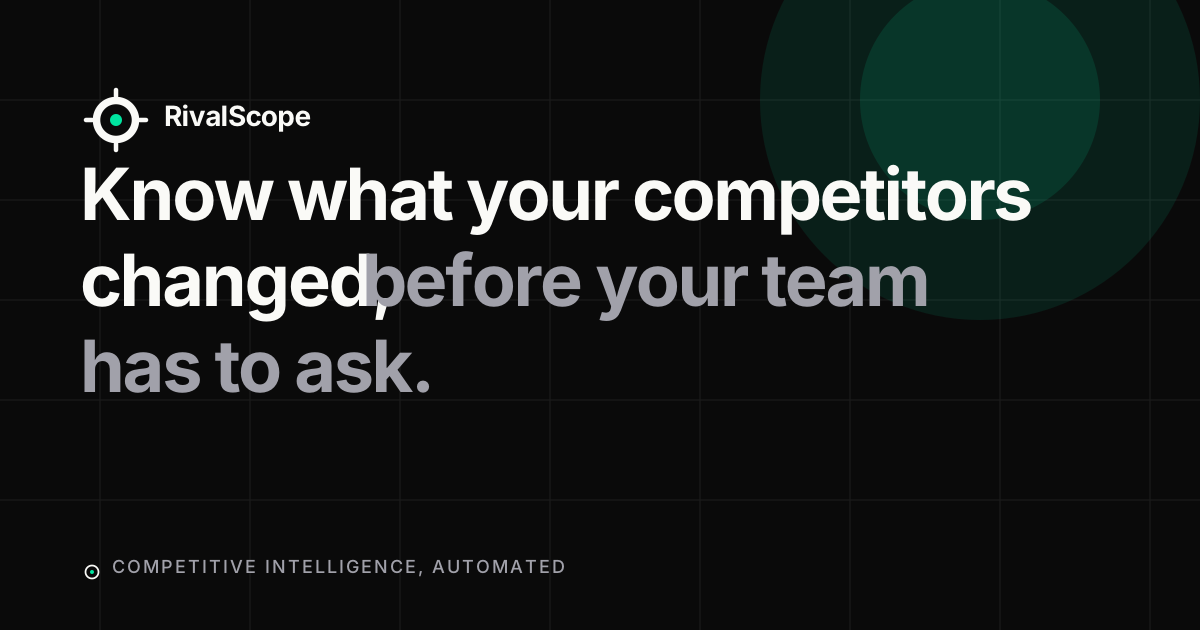
The most important touchpoint is the marketing landing page. Below: the live-feed product preview, the auth shell, and the OG card for shared links.
Know what your competitors changed, before your team has to ask.
- PricingAcme Corp raised Pro plan from $49 → $79/mo94% confidence
- HiringGlobex posted 8 new engineering roles88% confidence
- ProductInitech shipped a Team Analytics dashboard91% confidence
Sign in
Welcome back. Pick up where the signals left off.
How to use the brand without breaking it.
Color usage
- Ink 900 on Ink 50 for body and UI. Ink 600 for secondary, Ink 500 for tertiary.
- Signal blue is reserved for the live pulse, evidence highlights, primary CTAs, and confidence indicators.
- Use Signal soft (#E8F0FE) only as a backdrop behind Signal text or chips — never as a section background.
- On dark surfaces, swap Signal → Signal-on-dark (#5B9CFF) to maintain AAA legibility.
- Never use Signal for decorative gradients, hero backgrounds, or to indicate danger/warning.
Type hierarchy
- Display & headings: Inter 600, tight tracking (-0.025em on h1, -0.015em on h2/h3).
- Body: Inter 400, leading-relaxed (≈1.6), Ink 600 over Ink 50.
- Eyebrows / labels: Inter 500, 12px, UPPERCASE, 0.12em tracking, Ink 500.
- Evidence and timestamps: JetBrains Mono 14px — signals the data is captured, not editorial.
- Never set body copy in display weights or all-caps. Never mix more than two weights on one screen.
Voice & tone
Precise · Calm · Evidence-first · Never breathless
- Headline
- “Know what your competitors changed, before your team has to ask.”
- Onboarding welcome
- “Add the first competitor. First material change typically lands Under 24h.”
- Empty state
- “No signals yet. We're watching — quiet is a finding too.”
- Error
- “We couldn't reach that source. Retrying in 60s — your watch is unaffected.”
- Call-to-action
- “Start Monitoring” · “Open the brief” · “Add a competitor”
Accessibility standards
- All body text and primary UI passes WCAG AA (≥4.5:1). Most pairings hit AAA.
- Never communicate a signal with color alone — pair every Signal-blue element with a label, percentage, or icon.
- Focus rings use a 2px ink offset + 2px ink ring on light, swap to Signal-on-dark on dark.
- Logo carries an explicit aria-label. The icon-only mark is treated as decorative when used alongside the wordmark.
- Animation: respect prefers-reduced-motion. The live pulse degrades to a static dot.
Asset package.
Everything below is shipped in /public/brand and wired through globals.css. Drag any file straight into Figma, Notion, or a deck.
| Asset | Path | Open |
|---|---|---|
| Logo · wordmark (light) | /brand/logo-wordmark.svg | Open |
| Logo · wordmark (dark) | /brand/logo-wordmark-dark.svg | Open |
| Logo · wordmark PNG 1× | /brand/logo-wordmark.png | Open |
| Logo · wordmark PNG 2× | /brand/logo-wordmark@2x.png | Open |
| Logo · wordmark PNG 3× | /brand/logo-wordmark@3x.png | Open |
| Logo · icon (light bg) | /brand/logo-icon.svg | Open |
| Logo · icon (dark bg) | /brand/logo-icon-dark.svg | Open |
| Logo · icon (single-color) | /brand/logo-icon-mono.svg | Open |
| Monogram · RivalScope | /brand/logo-monogram.svg | Open |
| App icon · 1024 SVG | /brand/app-icon.svg | Open |
| App icon · 1024 PNG | /brand/app-icon-1024.png | Open |
| Favicon · SVG | /brand/favicon.svg | Open |
| Favicon · PNG 32 | /brand/favicon-32.png | Open |
| Favicon · PNG 64 | /brand/favicon-64.png | Open |
| Favicon · PNG 96 | /brand/favicon-96.png | Open |
| Open Graph · SVG source | /brand/og-image.svg | Open |
| Open Graph · PNG 1200×630 | /og-image.png | Open |
| Design tokens · DTCG JSON (Figma) | /brand/tokens.json | Open |
Design tokens live as CSS custom properties in src/app/globals.css under the --brand-* namespace, and are consumed by the existing --mkt-* surface tokens used across the marketing routes. The same values are mirrored to /brand/tokens.json in W3C Design Token Community Group format so Figma plugins (Tokens Studio, Variables) can import the brand palette directly. Edit globals.css first, then re-mirror to tokens.json by hand — the sync step is documented in replit.md.